

QuickBooks is changing. Online plan costs are climbing 17 to 25% in 2026, with payroll pricing up roughly another 20% on top of that. Desktop support ends in May, which means payroll, bank feeds, and updates will simply stop working for anyone still on that version. And even the current version of QuickBooks is a general business tool, not a construction one, so prevailing wage, certified payroll, and real job costing end up falling on your team to manage by hand. One CFO recently told Arcoro he was spending $13,000 a year in legal fees tied to payroll compliance issues alone.
As payroll admins consider their options, Arcoro Time (formerly ExakTime) and Arcoro Payroll are smart solutions.
Arcoro Time and Arcoro Payroll are built specifically for construction. Field crews clock in with GPS, that data flows directly into a payroll engine designed around construction rules, and certified payroll reports generate automatically. On average, Arcoro customers get back 15 to 20 hours a week previously lost to manual time and payroll work.
Arcoro presented a webinar, Leave QuickBooks Behind Without Losing Momentum, on August 25, 2026, that showed QuickBooks users exactly what switching to Arcoro would look like, from implementing Arcoro’s Time and Payroll solution to how day-to-day processing would work.
Here are the essential questions and answers that came out of that live session.
How Does the QuickBooks-to-Arcoro Payroll Transition Work?
Will my existing payroll history transfer over, or do I start from zero?
Payroll history carries over as part of the transition, so you are not starting from a blank slate.
That continuity matters when you need past pay periods on hand for reporting, audits, or year-end filing.
Can I run Arcoro and QuickBooks side by side during a transition period?
Yes, you can keep QuickBooks for accounting processes that already work while upgrading time tracking and payroll first.
The transition happens at a pace that fits your business rather than all at once, following a clear, milestone-driven implementation plan.
Who actually sets up my tax accounts, deductions, and benefits, me or Arcoro?
A dedicated implementation team configures your tax accounts, deductions, and payroll settings as part of onboarding.
This includes setting up your state tax accounts, so you're not managing that setup on your own.
What Does Automated Construction Payroll Processing Look Like?
Can I automate recurring payroll instead of running it manually every period?
Yes, you can schedule your payroll sync to run automatically on whatever cadence fits your business, hourly, daily, or weekly, so it runs without manual triggering each period.
Manual payroll today often means chasing missing hours, re-entering data, and working through prevailing wage and certified payroll calculations by hand, frequently eating into evenings and weekends. One payroll admin told Arcoro it was taking her up to three days to process payroll even in a good week before she automated the process.
How are benefits and deductions handled?
The payroll dashboard shows hourly breakdowns, taxes, benefits, and deductions together in one place, so you see the full pay picture without piecing it together from separate reports.
Arcoro also helps set up your state tax accounts during onboarding and manages them going forward, so you're not caught off guard later. One HR admin told Arcoro she was hit with an unbudgeted $10,000 tax bill at year-end before making the switch, exactly the surprise this is meant to prevent.
How Does Arcoro Handle Certified Payroll and Prevailing Wage Compliance?
How does Arcoro calculate prevailing wage and fringe rates, and where does that number come from?
Arcoro automatically applies the correct prevailing wage rate and calculates the fringe rate the moment an employee clocks into a certified job.
Wage determinations are set up once by labor class, such as electricians, laborers, or operators, so the correct rate applies automatically every time. No one on your team has to look up the rate manually or reverse-engineer it from an employee's pay.
Does certified payroll reporting generate automatically, or do I still have to assemble it?
It generates automatically, built directly from your time and payroll data rather than compiled by hand each period.
Certified payroll reports pull straight from clock-in data and wage determinations, so admins don't have to reconstruct them manually each pay period.
What happens if I have employees on both certified and non-certified jobs in the same pay period?
Arcoro handles both automatically, applying wage determination logic only to the hours worked on certified jobs.
Employees working wage-determination (certified) jobs get the correct certified rate on that time, while the rest of their hours process normally, with no manual sorting required.
How Does Arcoro Manage Construction Employee and Subcontractor Data?
Can I import my whole employee list at once, or do I have to add people one at a time?
Yes, you can bulk-import employees, locations, and cost codes from a simple CSV file rather than entering everyone individually.
This works whether you're onboarding your full workforce at once or adding new hires and job sites as they come up.
How are subcontractors handled if I need to track their hours but not run payroll for them?
You can mark a subcontractor as inactive for payroll syncing while still tracking their hours and running reports on them by category.
If you later decide to pay a subcontractor through Arcoro, a single toggle sends them into payroll as well, with no re-entry required.
How quickly do employee data changes sync to payroll?
Name, address, and rate changes can sync on demand at any time, or run automatically on a recurring schedule you set.
You can name a sync schedule, choose how often it runs (one-time, hourly, daily, or weekly), and set a start date, time zone, and optional end date. If one person needs an off-cycle update, like a final paycheck before vacation, you can sync that single employee instead of waiting on the next scheduled batch.
A sync history log shows the status of every run, along with any warnings or errors that need attention.
How Does Construction Job Costing and Labor Reporting Work?
Can I see labor cost by job, department, or cost code without asking IT for a custom report?
Yes, job costing reports can be filtered by employee, location, and cost code in real time, with no custom report needed.
Reports go down to granular detail, like how many hours went into a specific activity such as painting or pouring concrete.
What Payroll Implementation Support Does Arcoro Provide?
Is there dedicated support during the first few payroll cycles after go-live, or am I on my own after setup?
You're not on your own: Arcoro follows a milestone-driven implementation approach, so you always know what's happening, what's next, and who owns it.
Once you're live, you continue to have a dedicated implementation team, a customer success manager, and ongoing training support.
What training is available for a new payroll hire who's never used the system?
On-demand training and video tutorials are available so new users can get up to speed quickly.
New hires can start learning right away instead of waiting for a scheduled training session.
Will Field Crews Actually Use Arcoro Time Tracking?
How do crews clock in starting on day one?
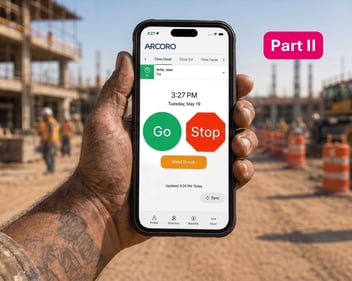
Crews can clock in from day one using a phone, tablet, or kiosk, with job codes and locations already set up.
How is this different from what crews do with QuickBooks today?
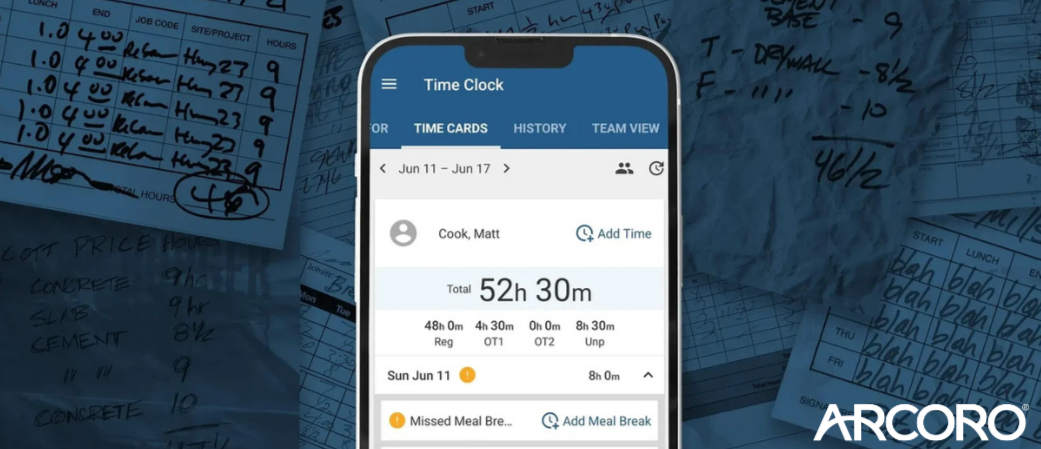
With QuickBooks, a field employee's day often starts with a paper timesheet, a text about job codes, and guesswork. With Arcoro Time, employees switch between jobs and cost codes in seconds, and their hours land automatically on the right project.
How do crews avoid clocking into the wrong job or cost code?
Location services help make sure employees clock into the correct job site the first time. Workers who consistently do one type of work, like electrical, can get a default cost code so they don't have to select it manually at every clock-in.
How much training will my crew need?
The interface is intuitive and requires minimal training, so crews get accurate time data from the very first shift instead of a bumpy transition period.
How to Pitch the QuickBooks-to-Arcoro Switch to Operations Leaders
What's the strongest argument to lead with?
Real-time visibility: with Arcoro, operations leaders see labor costs and job costing data as a project happens, not after it's finished.
How is this different from job costing in QuickBooks?
With QuickBooks, job costing typically happens after the fact, so by the time the full picture is visible, the job may already be done. Prevailing wage jobs add compliance pressure on top of it.
How does real-time data change planning?
Operations leaders can see exactly how labor was spent on past projects and adjust staffing on upcoming jobs with more confidence.
Will this disrupt accounting or other processes already in place?
No. The transition follows a clear, milestone-driven implementation plan at a pace that fits the business, so QuickBooks can stay in place for accounting while time tracking and payroll are upgraded first.
How do operations leaders get the reports they need?
Reporting is self-serve, so they can pull exactly the view they need, whenever they need it, without requesting a custom report from someone else.
Ready to Switch from QuickBooks to Arcoro Payroll Software?
Most Arcoro partners take a crawl, walk, run approach: they start with the immediate need, often time tracking and payroll, and grow into other Arcoro capabilities like hiring, core HR, and safety as their HR strategy matures. You don't have to solve everything on day one, and Arcoro grows with you as your business does.
You'll know the switch worked when your people are paid correctly and on time, every time. Payroll gets shorter and quieter, compliance gets less stressful, and prevailing wage and certified payroll reports come directly from your data instead of being built by hand.
To help you leave QuickBooks behind, Arcoro offers a free trial of Arcoro Time to see it in action. Reach out to an Arcoro product expert to get started on your free trial or to receive a demo of Arcoro’s Time and Payroll solutions.
Watch a recording :