
Selecting a vendor to support time tracking for your construction business is one of the most important decisions a construction company can make. Your payroll, job costing, and compliance responsibilities hinge on having the most accurate data that only a digital time tracking solution can provide. Choose the wrong solution, and already burdened staff will be chasing down timesheets and manually entering data. The right solution frees up your time for important tasks while offering features that provide valuable insights into your operation, helping you stay aligned, competitive, and compliant.
This article is the third part of a three-part series that reviews 10 of the most widely used construction time tracking solutions, including Arcoro Time (formerly ExakTime), to help you understand what each tool does well, where it has limits, and who it's built for. The information comes from product documentation, user reviews, and publicly available information to give you a straightforward comparison.
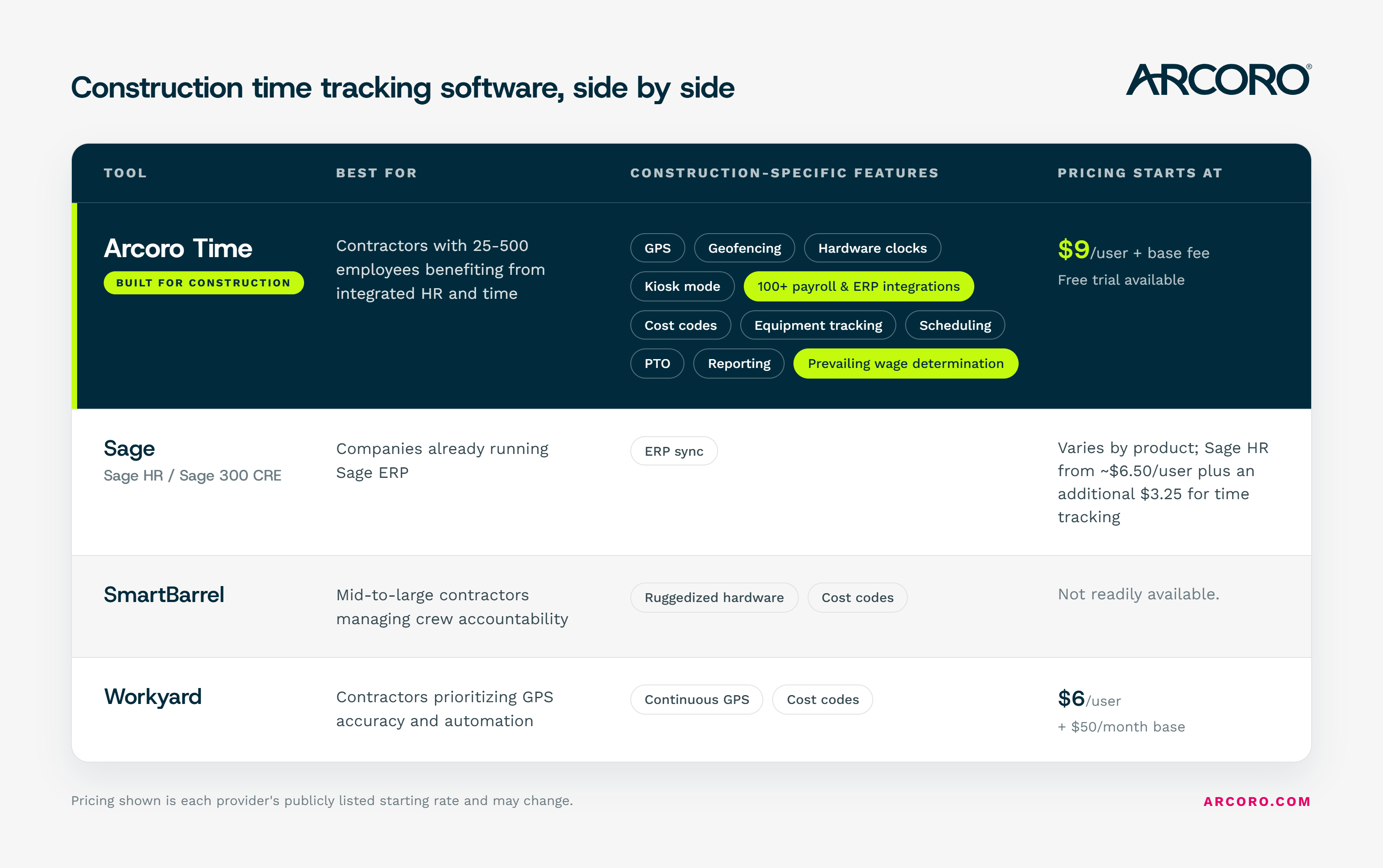
1. Arcoro Time (formerly ExakTime)
Best for: Construction companies with 25-500 employees that benefit from the efficiencies of time tracking connected to broader HR, payroll, and compliance workflows
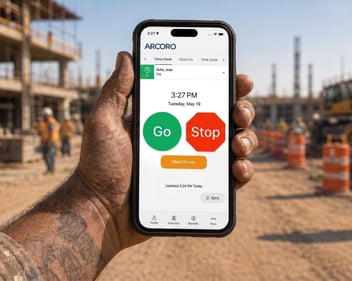
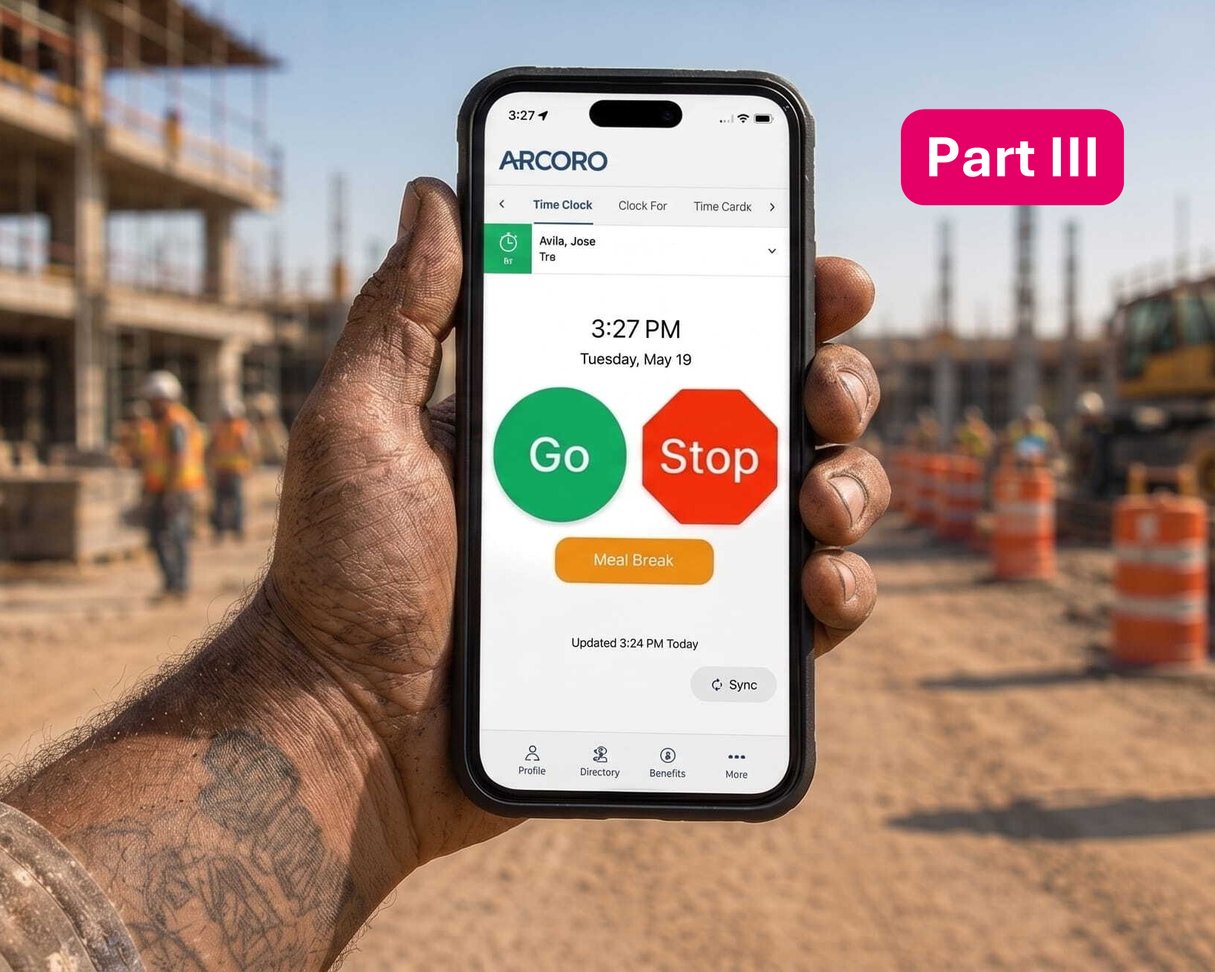
Arcoro Time is purpose-built for construction, with a history dating back to rugged jobsite hardware and a current platform that includes more construction-specific features than any other solution on the list. It offers mobile clock-in, GPS tracking, geofencing, and integrations with more than 100 payroll and accounting systems, including QuickBooks, Sage, Foundation, Acumatica, Procore, and Viewpoint. It works in environments where other apps struggle, including remote sites with limited connectivity.
What sets Arcoro Time apart from general-purpose tools is that it sits within the broader Arcoro platform. If your company also needs HR, benefits management, or ACA compliance, Arcoro Time is designed to share data across those functions rather than operate as a standalone clock-in app.
Key features:
-
Mobile clock-in via unified app, PIN, or jobsite kiosk hardware
-
GPS tracking and geofencing for jobsite verification
-
Cost code assignment at clock-in
-
Offline mode with automatic sync
-
Supervisor-led crew clock-in options
-
Timesheet review and approval workflows
-
Integrations with 100+ payroll and ERP systems, including: QuickBooks, Sage, Foundation, Acumatica, Procore, and Viewpoint
-
Bilingual (English and Spanish) interface support
-
FaceFront photo ID capture
-
Multi-media field notes
-
Equipment and expense tracking, including photo attachments for receipts and site documentation
-
Scheduling to manage crews and job sites
-
Time off tracking and PTO administration, including group requests and hire-date-based balance resets
-
Custom alerts and notifications
-
Compliance features like prevailing wage determinations, certified payroll, and meal and break tracking
What users appreciate: The many upgrades Arcoro is making to the product and mobile app. The flexibility of clock-in methods, particularly the physical kiosk hardware option for crews who share devices or work in areas with poor cell service. Integration depth with construction accounting systems is also frequently cited. The award-winning customer service that provides continual live and online support.
Considerations: Arcoro Time is built for construction companies, so if your business spans multiple industries or you're looking for a lightweight general-purpose tracker, it may include more than you need.
“My company uses Arcoro Time (formerly ExakTime) for accurate employee time reporting per job, and the report feature makes it incredibly easy to calculate our labor expenses and determine how much money each job earned. For even more in-depth reporting, we've been able to work with the Advanced Analytics team to create custom reports that will save us roughly three hours of labor per week.”
Pricing: Arcoro Time starts at $9 per user and goes up to $20 with the addition of Arcoro Payroll. There is also a 14-day free trial.
The Takeaway: Arcoro Time is great for mid-sized construction companies that need all the features unique to the industry, like tracking time for a mobile workforce, adhering to compliance requirements, and job costing data. Its robust reporting and analytics tools provide a clear picture for job costing.
2. Sage (Sage HR / Sage 300 CRE / Sage 100 Contractor)
Best for: Companies already running Sage ERP for construction accounting
"Sage" covers a range of products. For construction, the most relevant are Sage 100 Contractor, Sage 300 CRE, and Sage Intacct Construction, which are ERP platforms that include time entry and job costing as part of a broader accounting and project management system. Sage HR is a separate, lighter HRIS product with time tracking capabilities designed for small to mid-sized businesses across industries.
The main case for Sage time tracking is integration with Sage accounting: time data flows directly into job cost reports and payroll without manual transfer. Many construction companies must supplement Sage's native time capabilities with third-party mobile solutions like hh2 Remote Payroll or Arcoro Time, which were designed specifically for field crews and integrate back into Sage.
Key features:
-
Timesheet entry and approval workflows
-
Labor cost reporting
-
Job cost and cost code integration (within Sage ERP)
-
Leave and attendance management (Sage HR)
-
Mobile accessibility for time entry
-
Payroll integration within the Sage ecosystem
-
Configurable compliance rules
What users appreciate: When the full Sage ecosystem is in use, the seamless flow from field time entry to job cost reporting to payroll is a significant operational benefit. Teams managing complex public works projects with certified payroll requirements tend to see the clearest value.
Considerations: The lowest rated on the list, Sage’s native time tracking tools are generally considered a complement to a full ERP implementation rather than a standalone time clock solution. Field-facing functionality, particularly for crews without reliable connectivity, often requires pairing Sage with a dedicated mobile time tracking tool. Sage HR is not construction-specific and lacks features like GPS-verified clock-ins, geofencing, or hardware kiosk options. Pricing varies widely depending on which Sage product is in use.
“The tool is very easy to use. The dashboard is well designed, so each user can clearly see their upcoming time off, as well as the time off scheduled for other colleagues. The mobile app is somewhat limiting in terms of the experience you get compared with the web version. On mobile, you can get the bare minimum done, like requesting or approving leave, but for anything beyond that you’ll need to use the web experience. The web version, on the other hand, has no performance flaws whatsoever.”
Pricing: Sage HR starts at approximately $6.50/user/month. Timesheets requires another $3.25/user/month. 30-day free trial.
The Takeaway: Because Sage HR isn’t construction specific, the base price doesn’t include time tracking, which requires an additional fee. Its timesheets solutions lack the features offered at the base level of most solutions.
3. SmartBarrel
Best for: Mid-to-large specialty contractors and subcontractors (25 employees and up) who need verified, hardware-based time capture directly on the jobsite
SmartBarrel combines AI-powered facial verification with rugged jobsite time clock hardware and, more recently, mobile clock-in options. Its core product is a jobsite time clock with biometric facial verification: workers clock in by entering a phone number and having their photo taken. The system verifies identity, records the timestamp, assigns cost codes, and pushes the data directly to the payroll or ERP system.
SmartBarrel has prioritized job clock hardware for most of its history and only recently added broader mobile device support. A mobile app option is now available for smaller sites or workers who prefer it, though the hardware clocks remain the company's primary focus.
Key features:
-
Biometric facial verification for clock-in
-
Ruggedized hardware
-
Geofencing
-
Cost codes
-
Integration with Procore, Viewpoint Vista, CMiC, and Foundation
-
Bilingual support
-
Mobile clock-in app, added more recently and secondary to the jobsite hardware
What users appreciate: The elimination of buddy punching is the most cited benefit. The system requires no app download or phone dependency from workers.
Considerations: SmartBarrel's hardware model requires upfront investment in devices and deployment. It is best suited for mid-to-large operations where the scale justifies the setup. Pricing is not publicly available and varies by hardware needs and team size. The platform is focused primarily on verified clock-in and cost code capture rather than broader HR and payroll workflows, so companies that also want scheduling, PTO administration, or job costing in the same system may need to pair it with additional tools. Some users have noted blurry photo capture and occasional hardware reboot requirements. The customization options may not suit every workflow.
Pricing: Varies based on hardware needs and team size. A free trial is not readily available.
The Takeaway: SmartBarrel's biometric hardware helps prevent buddy punching, but its narrower focus on verified clock-in and cost codes means contractors who also need scheduling, PTO administration, or job costing in the same system will likely need to pair it with additional tools.
4. Workyard
Best for: Contractors who need precise GPS time tracking and want automated job cost assignment across multiple active sites
Workyard was built by a founder who managed a 700-worker contracting business, and that background shows the way the platform handles multi-site complexity. Its continuous GPS tracking and geofencing are designed around construction workflows, including automatic clock-in on geofence entry, drive time detection, and auto-assignment of hours to the correct project.
The mobile app has strong offline functionality, which matters for crews working in areas with unreliable service. A kiosk mode with photo verification provides an additional layer of accountability for sites where shared devices make more sense than individual clock-ins.
Key features:
-
GPS tracking
-
Geofencing
-
Cost codes
-
Supervisor crew clock-in
-
Integrations with QuickBooks, Sage, Foundation, and other ERPs
-
Offline mode with automatic sync
What users appreciate: GPS accuracy and the automated assignment of hours to projects are the most consistently praised features. Field crews tend to find the app intuitive to pick up.
Considerations: Some users have flagged that Workyard has limited support for prevailing wage categories, which is a real limitation for contractors with certified payroll obligations. The $50 monthly base fee is a meaningful fixed cost for smaller teams. Scheduling and project management tools are more basic than platforms designed primarily for project oversight. Some reviews note that continuous GPS tracking raises privacy questions among employees.
“I like Workyard's ease of use, which makes it user-friendly. I also appreciate the accuracy of the time clock, which is important for keeping track of hours. I am very disappointed that the app forces me to give unrestricted access to my precise location even when I am not using the app. Also, the initial setup was not easy.”
Pricing: Plans start at: $6/user/month + $50/month base. Pro: $13/user/month + $50/month base. 14-day free trial available.
The Takeaway: While prices are low, it lacks the compliance features that contractors must have to reduce their chances of fines and penalties.
The Bottom Line
Choosing the right construction time tracking solution depends on your company’s unique needs, whether that is complying with payroll regulations, using it to track job costs, and getting your employees to use it regularly.
Here are some factors to consider:
-
Your primary pain point. If buddy punching and payroll inflation are the main problems, having a GPS-enforced app with safeguards, like biometrics and geofencing, may be the right starting point. If integrating with your ERP is the bigger challenge, your chosen solution needs to integrate with your existing software to reduce friction on your office teams.
-
Crew size and structure. Some solutions only work well for smaller crews. Platforms with dedicated hardware or enterprise integrations like Arcoro Time are more suited to companies managing 25 or more workers across multiple sites.
-
Connectivity in the field. If your crews regularly work in areas without reliable cell service, offline mode is not optional. A solution that offers offline functionality is a must.
-
Compliance requirements. Certified payroll, Davis-Bacon, and prevailing wage compliance require tools that can support multiple pay classifications, generate WH-347 reports, and maintain audit trails. Not all tools on this list handle those workflows. Evaluate this carefully before committing.
Whether you need time tracking alone or alongside HR. If time tracking is one piece of a broader HR challenge that includes onboarding, benefits, performance, and compliance, a platform like Arcoro that connects all functions may deliver more value than a standalone clock-in app.
Arcoro built its time tracking solution specifically for the construction industry. We’ve been doing this since 1999, and we understand the unique challenges contractors face daily. Plus, our award-winning customer service team has your back before, during, and after the implementation process.
- Top Construction Time Tracking Software: An Honest Comparison
- Top Construction Time Tracking Software: Part 2
This comparison was compiled using publicly available product information, user reviews from Capterra and G2, and vendor documentation current as of 2025 and 2026. Pricing is subject to change; verify directly with each vendor before making a purchasing decision.